

Transactions
The Neon Console provides transparent transaction reporting, allowing you to review and analyze purchase activity.
You can filter transactions by status (Completed, Declined, Refunded, Disputed, Open, Expired), Date Range, and Type (Free or Paid). You can also search for specific transactions using an order number or player ID.
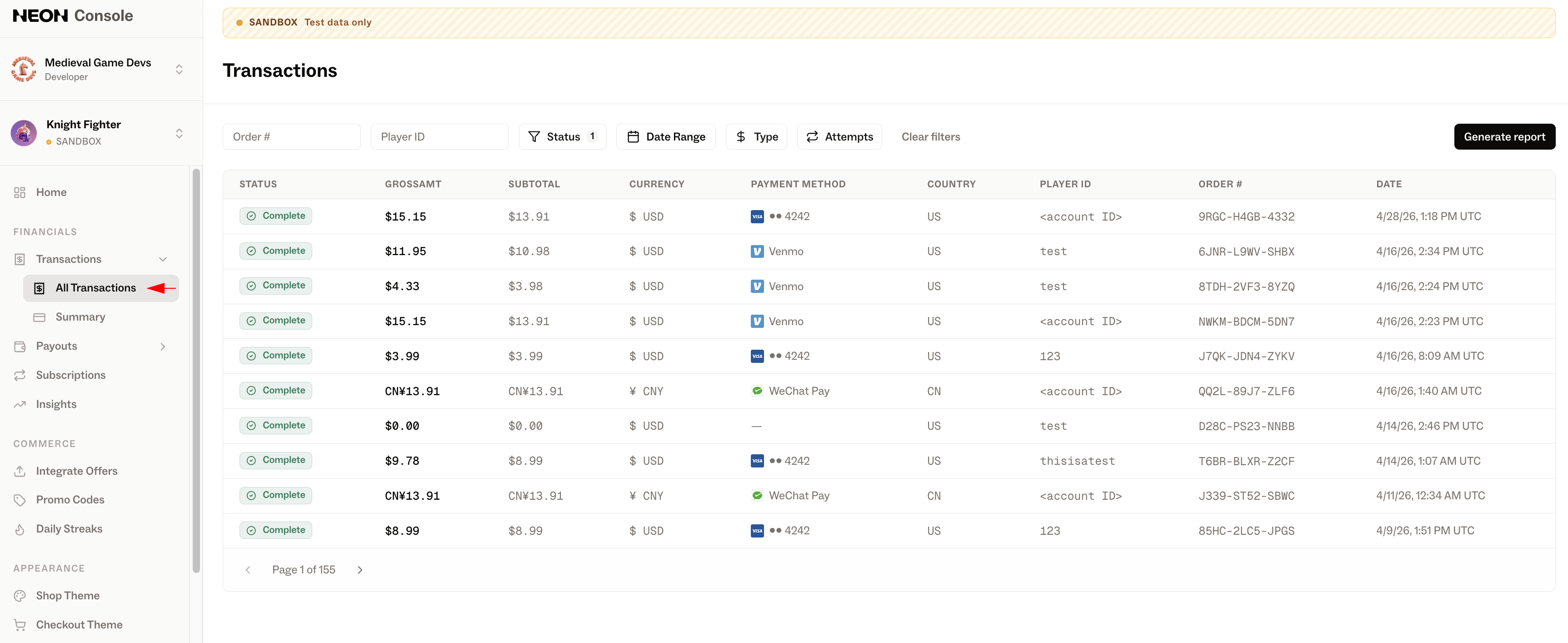
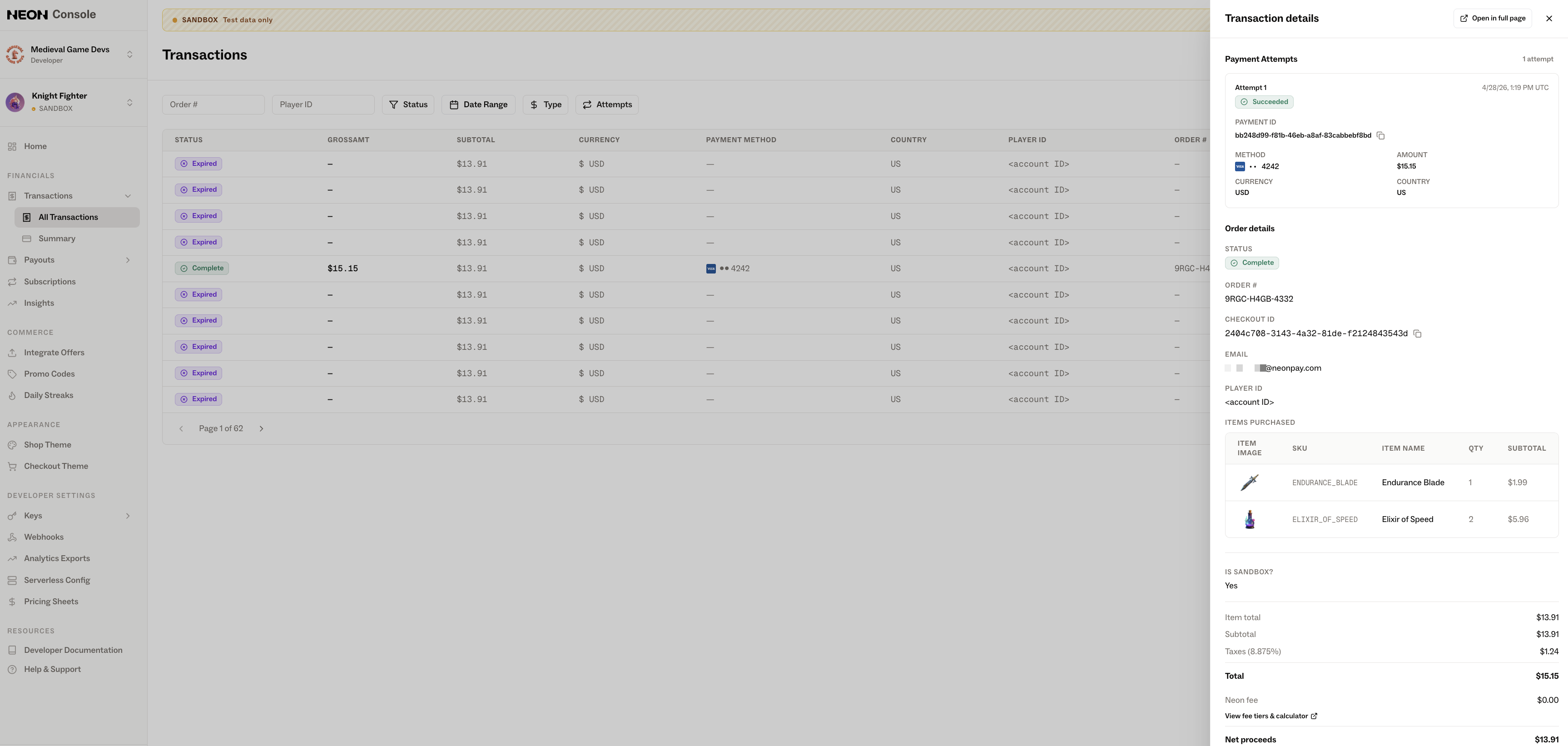
You can also view detailed information for each purchase by selecting an individual transaction. This includes its status, payment method, currency, associated IDs, player ID, email, purchased items, total amount, and taxes.
Bulk Reports
Reviewing transactions one by one may not always be efficient, so Neon also provides the ability to generate a Transaction Report as a CSV. This report includes more data than is available via the Console UI, and is better suited for bulk analysis and reporting.
You can generate two types of transaction reports: Environment-level (All Transactions in the Neon Console) and Developer-level (Summary in the Neon Console). Both reports provide the same set of columns and can be exported as CSV files for further analysis.
Once your report is ready, you can download it as a CSV. The exported file contains the following fields (examples provided below):
| Column | Description | Example |
|---|---|---|
| Status | Current status of the transaction | succeeded |
| Subtotal | Amount before tax and fees | 45.00 |
| Taxes | Applied tax amount | 4.13 |
| Total | Full transaction amount | 49.13 |
| FX Rate | Conversion rate if applicable (e.g., from foreign currency) | 1.00 |
| Fee Amount | Fee amount | 2.95 |
| Net Proceeds | Amount after fees | 46.18 |
| Currency | ISO code of the currency used | USD |
| Payment Method | Method of payment | card |
| Country | Country where the transaction occurred | US |
| Account Display Name | Display name of the account | NeonUser |
| Account ID | Unique identifier of the account | simple_user |
| Order Number | Identifier of the purchase | ORD-8494 |
| Date | Timestamp of the transaction | 2024-08-14T10:35:00Z |
| SKUs | Comma-separated list of SKUs and quantities | shirt-001 (qty: 2), hat-002 (qty: 1) |
| Items | Comma-separated list of items, quantities, and their SKUs | 3x Plain Shirt (shirt-001) |
For more details on how to generate each type of report, see the Environment Transaction Report and Maker Transaction Report pages.
Updated 5 months ago