

Free Item Promo Codes
About Free Item Promo Codes
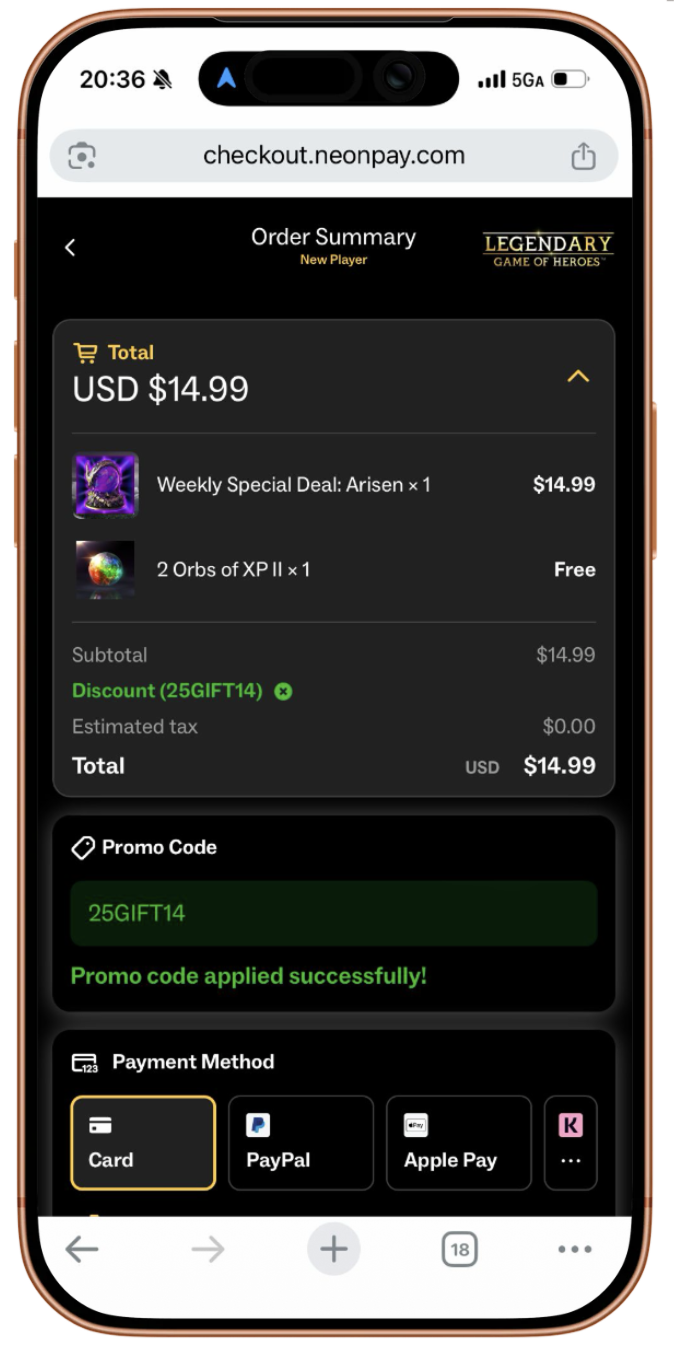
A Free Item promo code grants players a free offer SKU of your choice during the checkout flow. It’s a flexible promotion tool that can be used to reward players, support marketing campaigns, drive purchases, and increase engagement.
Common Use Cases
- Community rewards
- Creator and influencer campaigns
- Social media promotions
- CRM and email campaigns
- Customer support compensation
- Purchase incentives with a minimum order value
- Seasonal and live event rewards
- Limited-time marketing campaigns
Best Practices
To maximize both engagement and revenue, consider the following recommendations:
- Distribute promo codes through your community, social media, creator partnerships, and CRM campaigns.
- Pair Free Item promo codes with a minimum order value to increase average order value.
- Set active dates to create urgency around limited-time promotions.
- Use SKU restrictions to promote featured offers or specific product bundles.
- Use Account ID restrictions for exclusive rewards, beta testers, VIP players, or customer support cases.
- Apply global usage limits when running giveaways or limited-quantity campaigns.
Creating a Free Item Promo Code
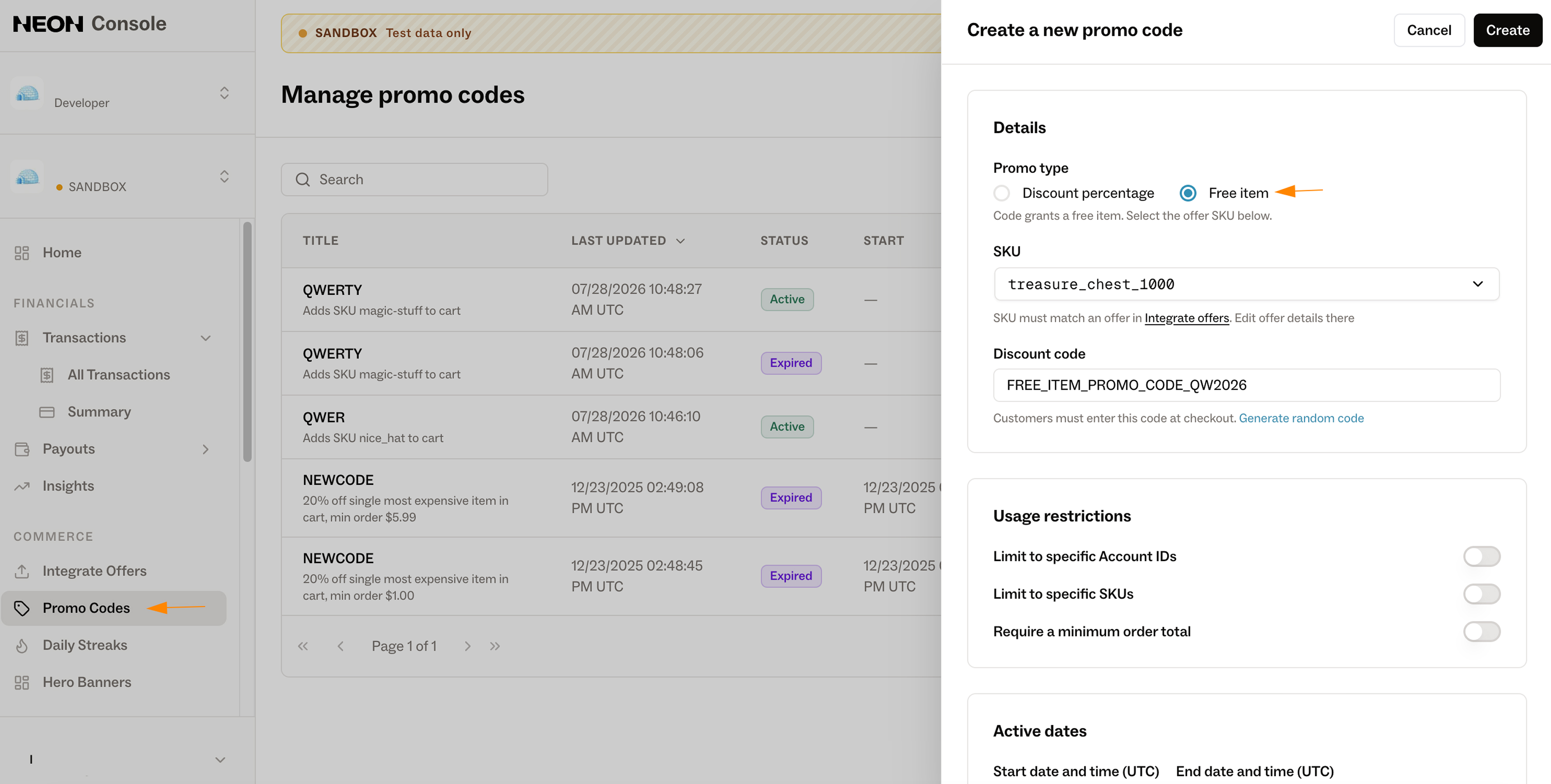
- Open Console.
- Navigate to Promo Codes.
- Select Create New Promo Code.
- Choose Free Item as the promo code type.
- Select the offer SKU that will be granted for free.
- Generate a promo code automatically or enter a custom code that players will use during checkout.
Configuration Options
Usage Restrictions
You can configure one or more restrictions to control when the promo code can be used.
Limit to Specific Account IDs
Restrict the promo code to a predefined list of player accounts.
Upload a CSV file containing the Account IDs that are allowed to redeem the promo code. Players whose Account ID is not included in the list will not be able to apply it.
This is commonly used for:
- Closed beta rewards
- VIP players
- Customer support compensation
- Creator-specific campaigns
Limit to Specific SKUs
Restrict the promo code so it can only be applied when the checkout contains specific offer SKUs.
If multiple SKUs are configured, the checkout only needs to contain one of the eligible SKUs for the promo code to be accepted.
This is useful for:
- Bundles
- Featured offers
- Seasonal packs
- Product-specific promotions
Require a Minimum Order Value
Require the checkout to reach a minimum order value before the promo code can be applied.
This is an effective way to encourage larger purchases while still rewarding players with a free item.
Active Dates
Configure the date and time range during which the promo code is valid. Outside of the configured period, the promo code cannot be redeemed.
Global Usage Limit
By default, promo codes can only be redeemed once per user. The Global Usage Limit controls how many total redemptions are allowed across all users.
Available options:
| Option | Description |
|---|---|
| Unlimited | Each player can redeem the promo code once. There is no limit on the total number of players who can use it. |
| Single Use | The promo code can only be redeemed once in total by the first eligible player. |
| Custom | Specify the maximum number of total redemptions. For example, setting the limit to 20 allows the promo code to be redeemed by up to 20 players, once per player. |
Eligibility
Free Item promo codes are supported with Neon Shop, Serverless Checkout, Direct Checkout, Hosted Checkout, and Embedded Checkout, if offer SKU that will be used as Free Item Promo Code is configured in Neon Console.
For Direct Checkout, Hosted Checkout, Serverless Checkout and Embedded Checkout, ensure that "hidePromoCodeInput": true is not set when creating a checkout. If the promo code input is hidden, players will not be able to redeem Free Item promo codes.
Updated 3 months ago