

High-Level Flow
Review the main steps required to implement and launch Neon Shop
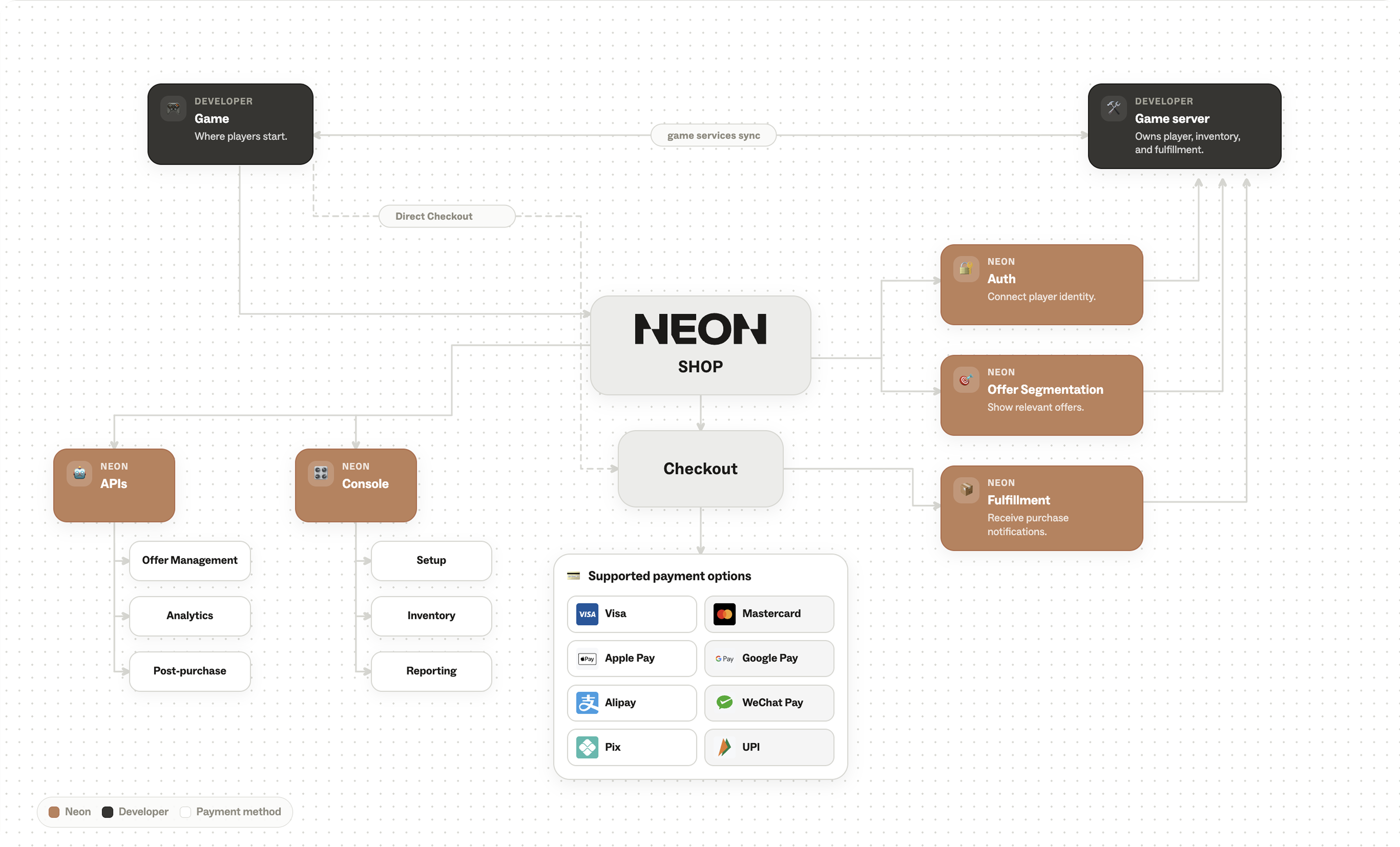
To help you better understand the integration process, we’ve prepared a high-level diagram explaining how the infrastructure is structured and how your systems interact with Neon infrastructure to make the Neon Shop and purchase flow function correctly.
Prerequisites
Before starting, make sure that:
- You have access to the Neon Console
- Neon Shop has been activated for your account by the Neon team
Need to activate your Neon Shop? Contact your Neon customer success manager, who will enable it for your account.
If you do not yet have access to the Console: please reach out to your Neon customer success manager.
If you’re new to Neon: contact [email protected] and we’ll help you get set up.
Implementation Flow
The Neon Shop implementation process typically includes the following steps:
- Configure items, offers, and offer groups
- Configure a Pricing Sheet if the default pricing configuration does not meet your needs.
Related articles: Pricing Sheet, Pricing - Customize your Neon Shop and Checkout themes
- Define and implement player authentication for Neon Shop
- Configure Offer Segmentation (if needed)
- Optionally configure additional shop features such as Daily Streaks, Purchase Limits, and Promo Codes
- Implement Fulfillment logic in your backend and application by registering webhooks
- Test and launch your Neon Shop
At every step of the process, our Customer Success team is happy to assist you to help ensure your integration is smooth and successful.
Updated 5 months ago