

Integrate Offers
This section allows you to create and manage items, offers, and offer groups for your inventory. These can be used in Neon Shop as well as in other scenarios where Neon-powered inventory is required (for example, Serverless Checkout).
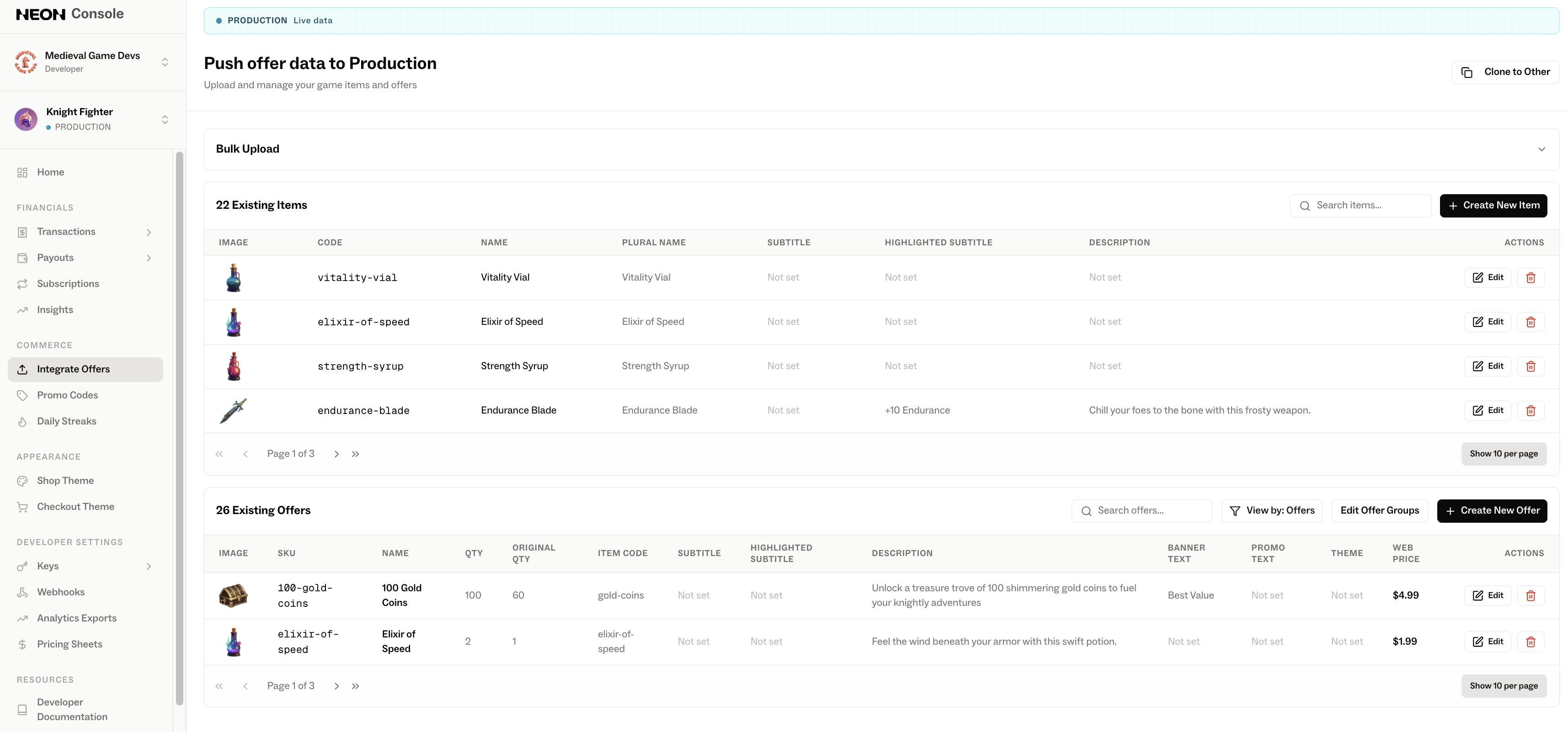
This article focuses on how to create and manage items, offers, and offer groups using the Neon Console.
High level flow:
-
Create a new Item. Items represent individual SKUs that can be included in offers. An offer can contain one or more items.
View in the Shop Set up in the Neon Console 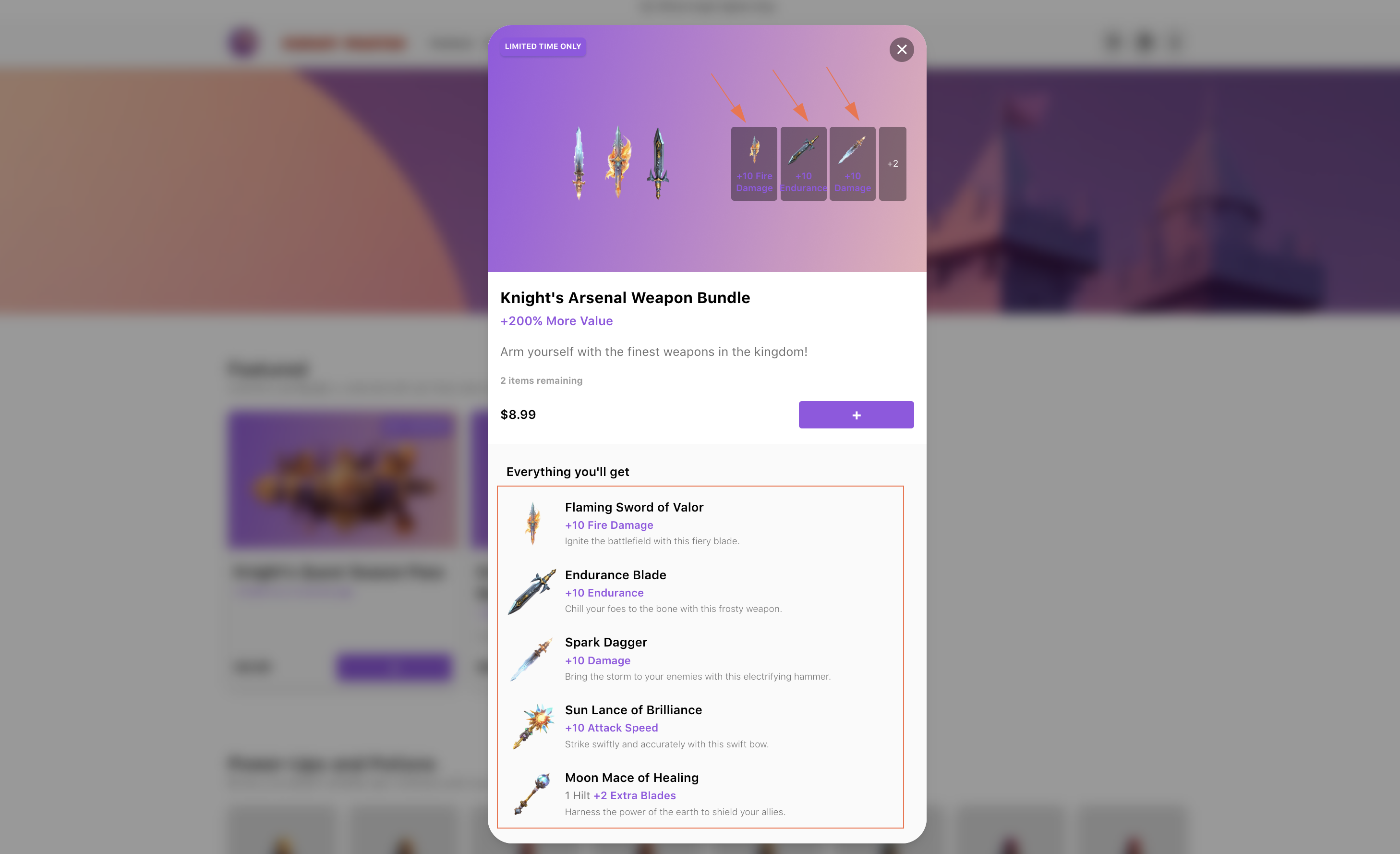
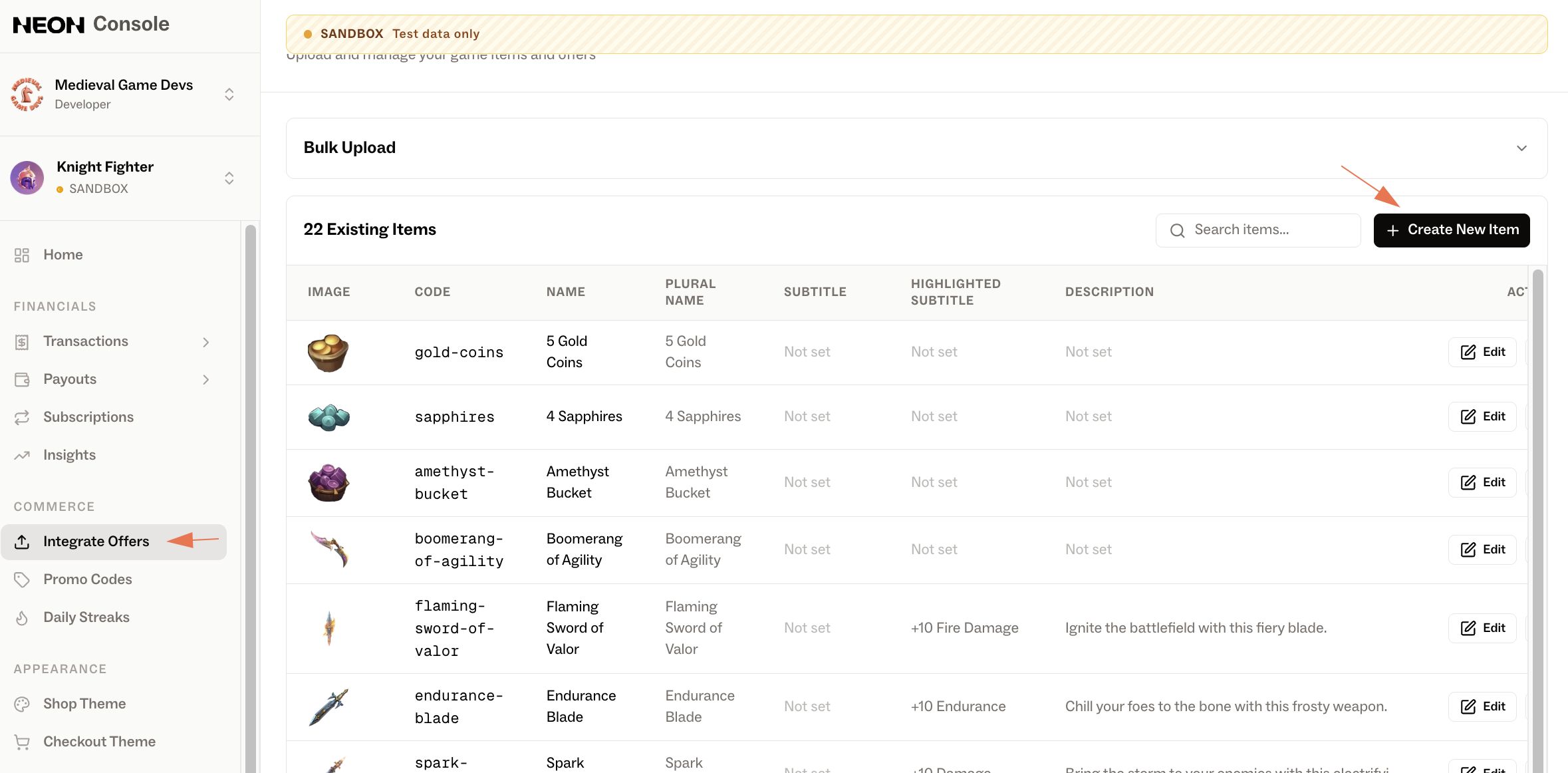
-
Create a new Offer Group. Offer Groups are used to organize offers. In Neon Shop, each group is displayed as a dedicated section.
View in the Shop Set up in the Neon Console 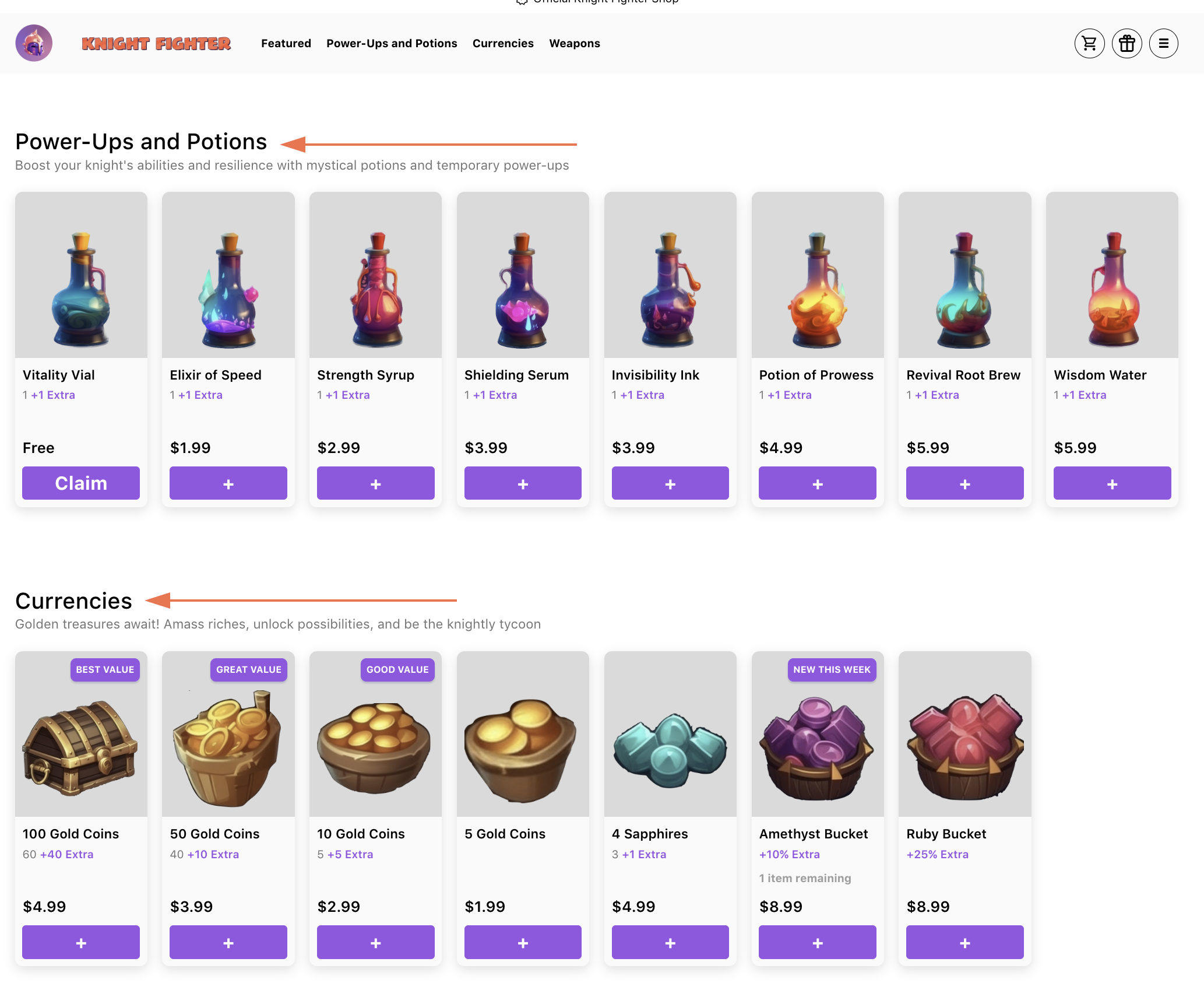
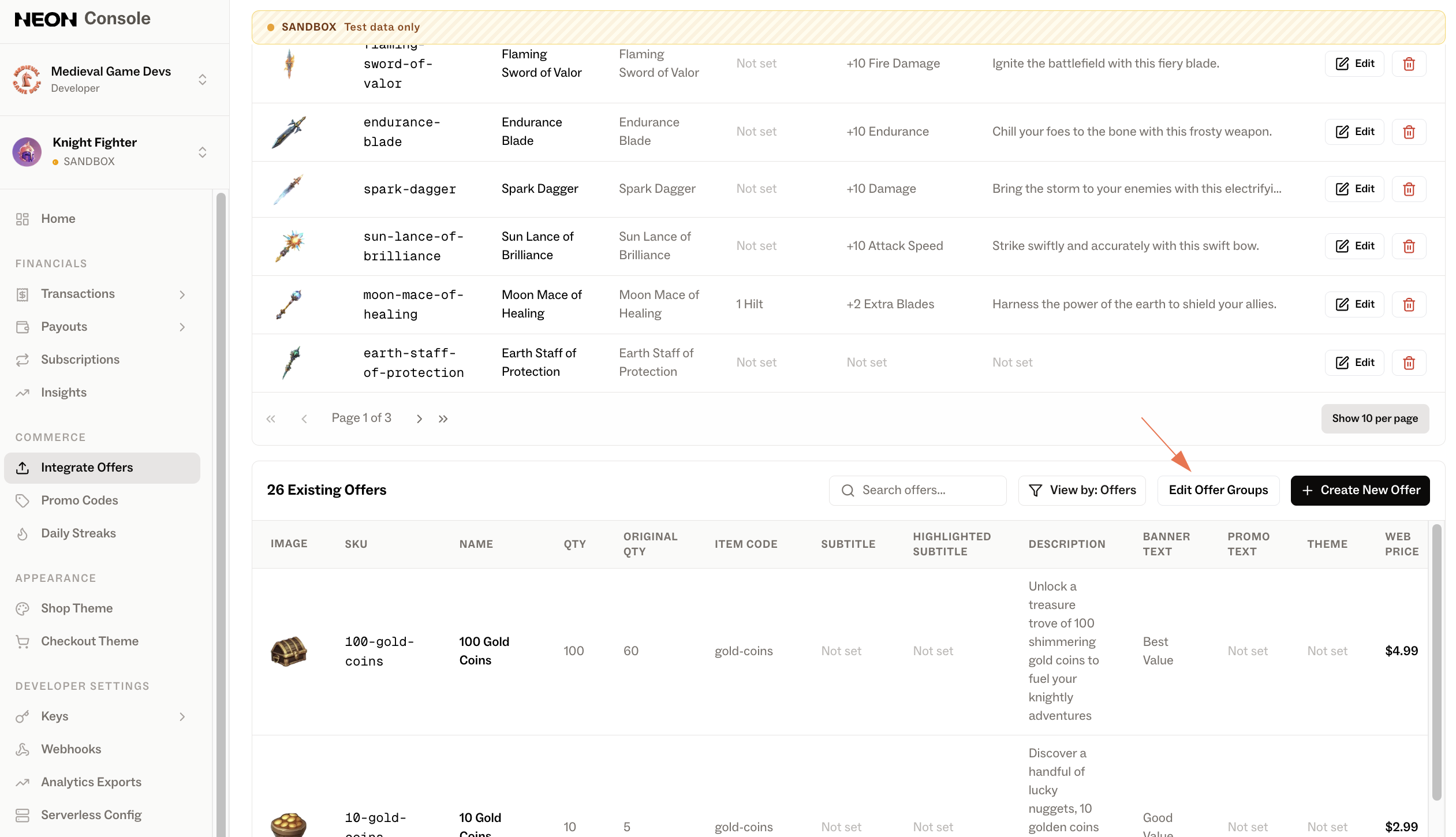
-
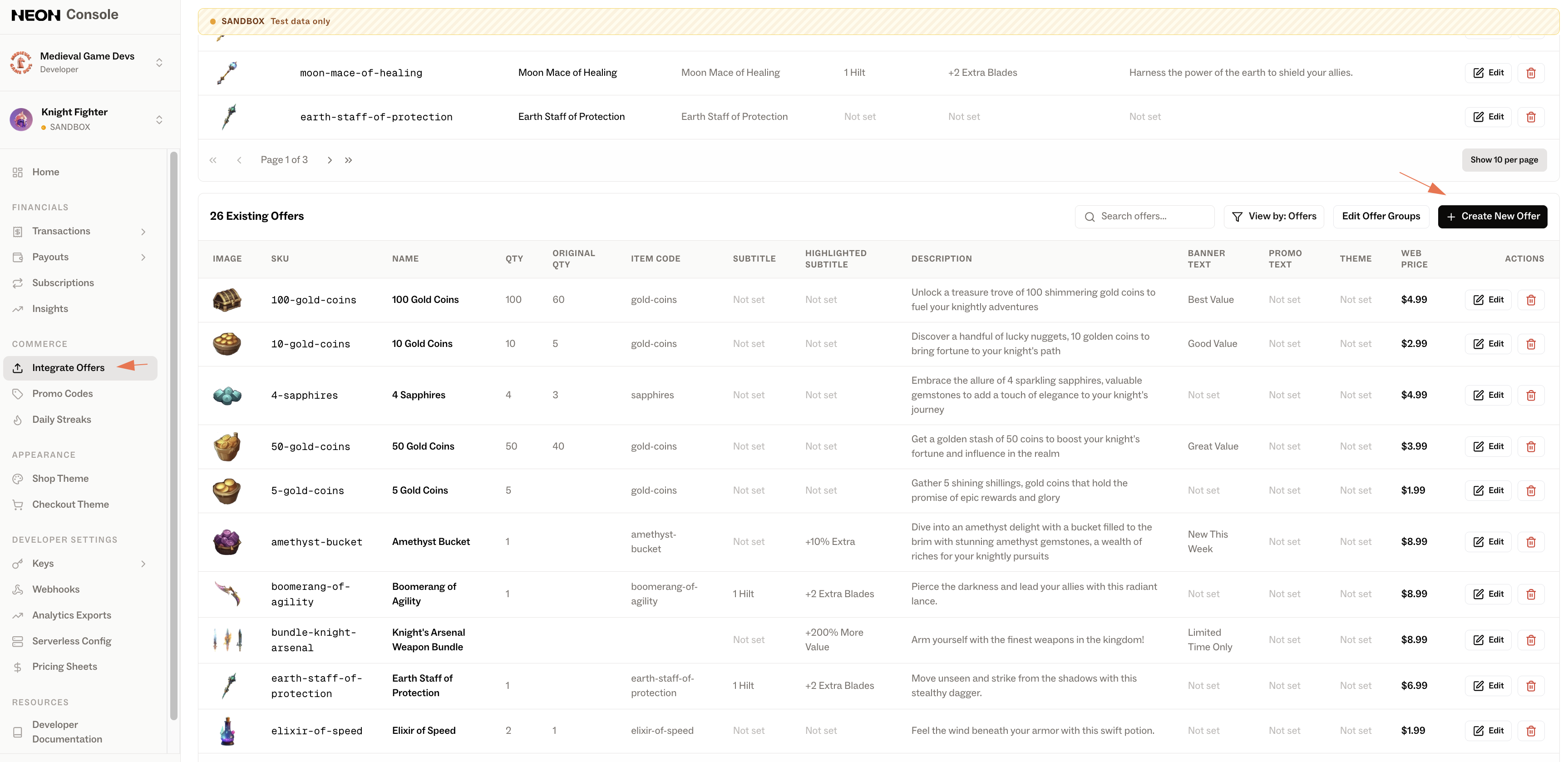
Create a new Offer. Create an offer by selecting the items you want to include and configuring additional metadata (such as pricing, availability, and other settings).
View in the Shop Set up in the Neon Console 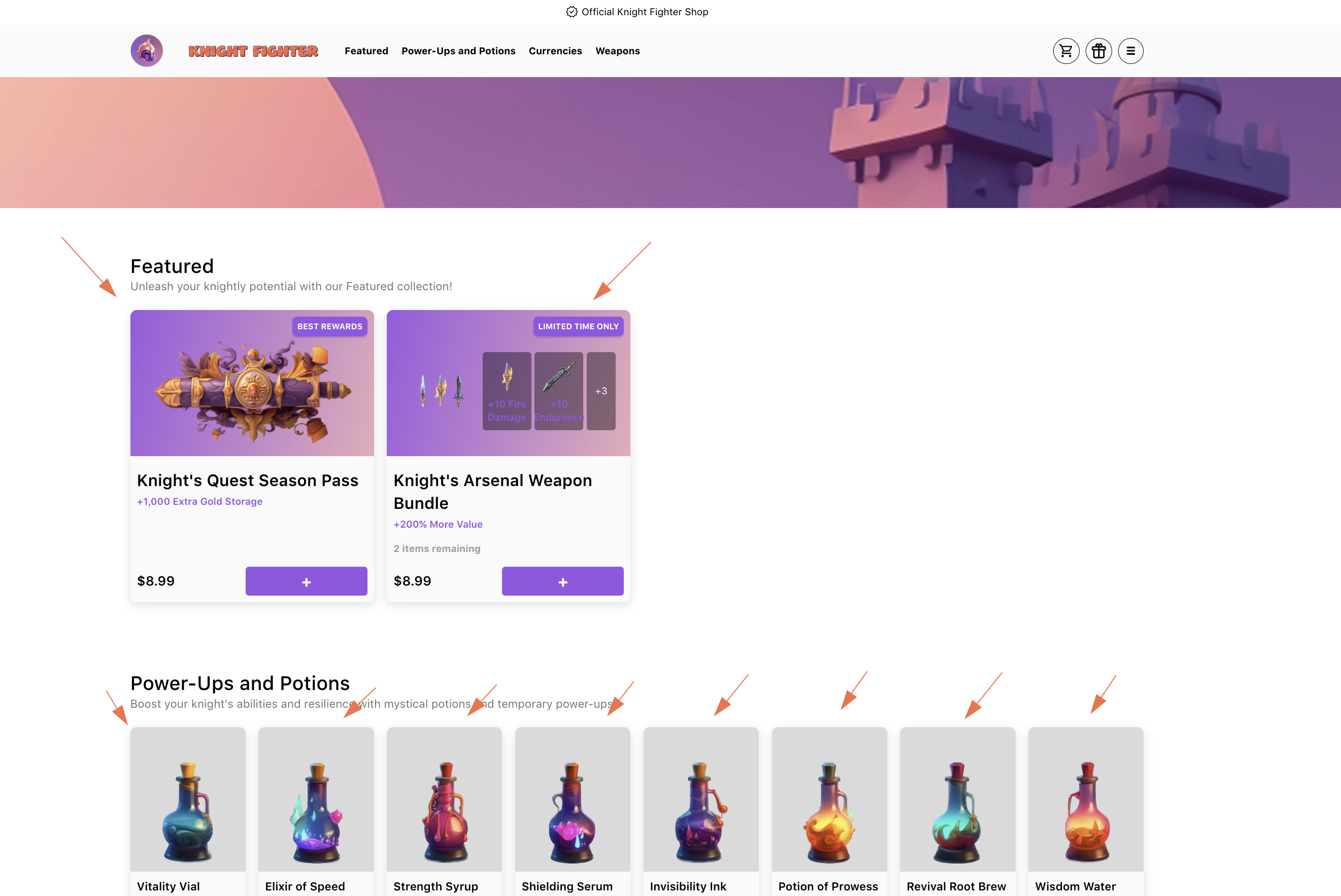
About localization
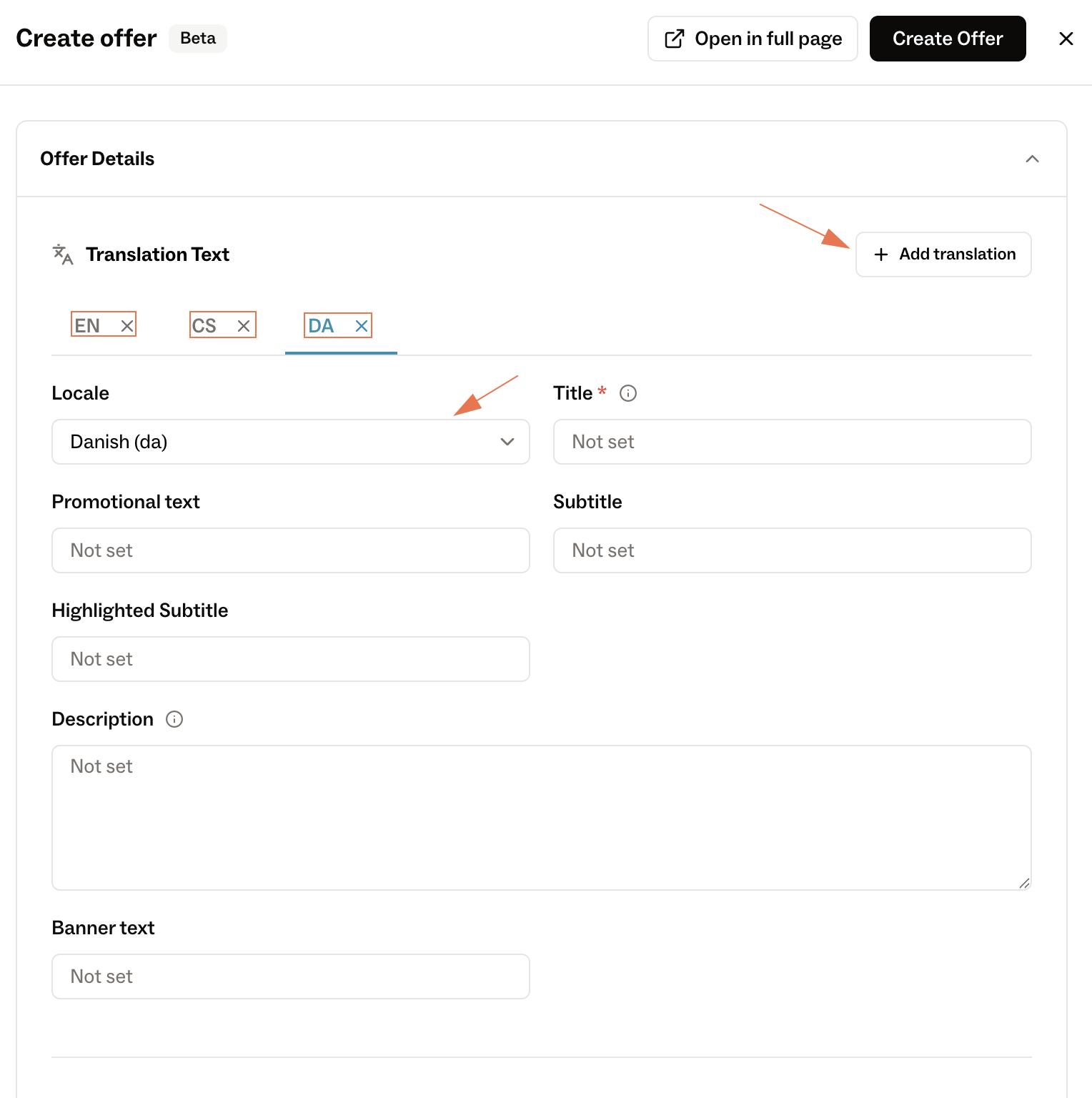
Whenever you create or edit an item, offer, or offer group, you can add translations for supported languages directly in the Neon Console. These translations will automatically appear in Neon Shop based on the player’s selected language or locale.
To add a translation, simply select a language and provide the localized content for your item, offer, or offer group.
Updated 5 months ago