

Global Store
About
Global Store feature allows players from countries where Neon does not currently support localized payment methods to complete purchases in USD currency instead of being blocked during checkout.
When you create checkout via API for an unsupported country, Global Store is automatically used (if enabled). The player is informed that the purchase will be processed in USD and can continue using an internationally accepted payment method.
This allows you to monetize players in virtually any country worldwide, even if Neon does not yet provide localized payment methods for that market.
Availability
Global Store is enabled by default for all new Neon integrations.
For existing integrations, Global Store can be enabled or disabled by contacting your Neon representative.
If you’d like to change the default behavior or configure country-specific restrictions (for example, enabling or disabling Global Store for specific countries), please contact your Neon representative.
Limitations
The following countries are currently not eligible for Global Store: UY, UZ, UA, QA, RU, IS, GE, AL, AM, PK
Eligibility
Global Store is available for:
-
Direct Checkout
-
Hosted Checkout
-
Serverless Checkout
-
Embedded Checkout
Global Store is not available in Neon Shop yet.
Creating a Global Store Checkout
If the country is not listed as a supported country in the Supported Countries article and if it is not restricted you may use Global Checkout. You may also determine whether a country is supported for the Global Store Checkout flow if the GET /prices endpoint returns:
{
  "isSupported": true,
  "isFallback": true
}
To create a checkout for a Global Store user when you call POST /checkout you'll need to:
- Specify the player’s country when creating the checkout.
- Set the checkout currency to
USD - Provide the item
priceorpriceTierCode
{
  "currency": "USD",
  "playerCountry": "LI",
  "successUrl": "https://example.com/success",
  "cancelUrl": "https://example.com/cancel",
  "accountId": "demo-user-123",
  "items": [
    {
      "sku": "demo.bundle.1",
      "name": "100 Gold",
      "quantity": 1,
      "price": 299,
      "imageUrl": "https://picsum.photos/seed/gold-bundle/800/800",
      "bundleContents": [
        {
          "sku": "currency.gold",
          "name": "Gold",
          "quantity": 100,
          "imageUrl": "https://picsum.photos/seed/gold/400/400"
        }
      ]
    }
  ]
}
This allows the checkout to proceed in USD even when localized pricing and payment methods are not available for the player’s country.
How Global Store Works
When a player opens a Neon checkout from an unsupported country:
- Neon detects that the player’s country is not currently supported with localized payment methods.
- Instead of blocking the purchase, the player is presented with a Global Store dialog.
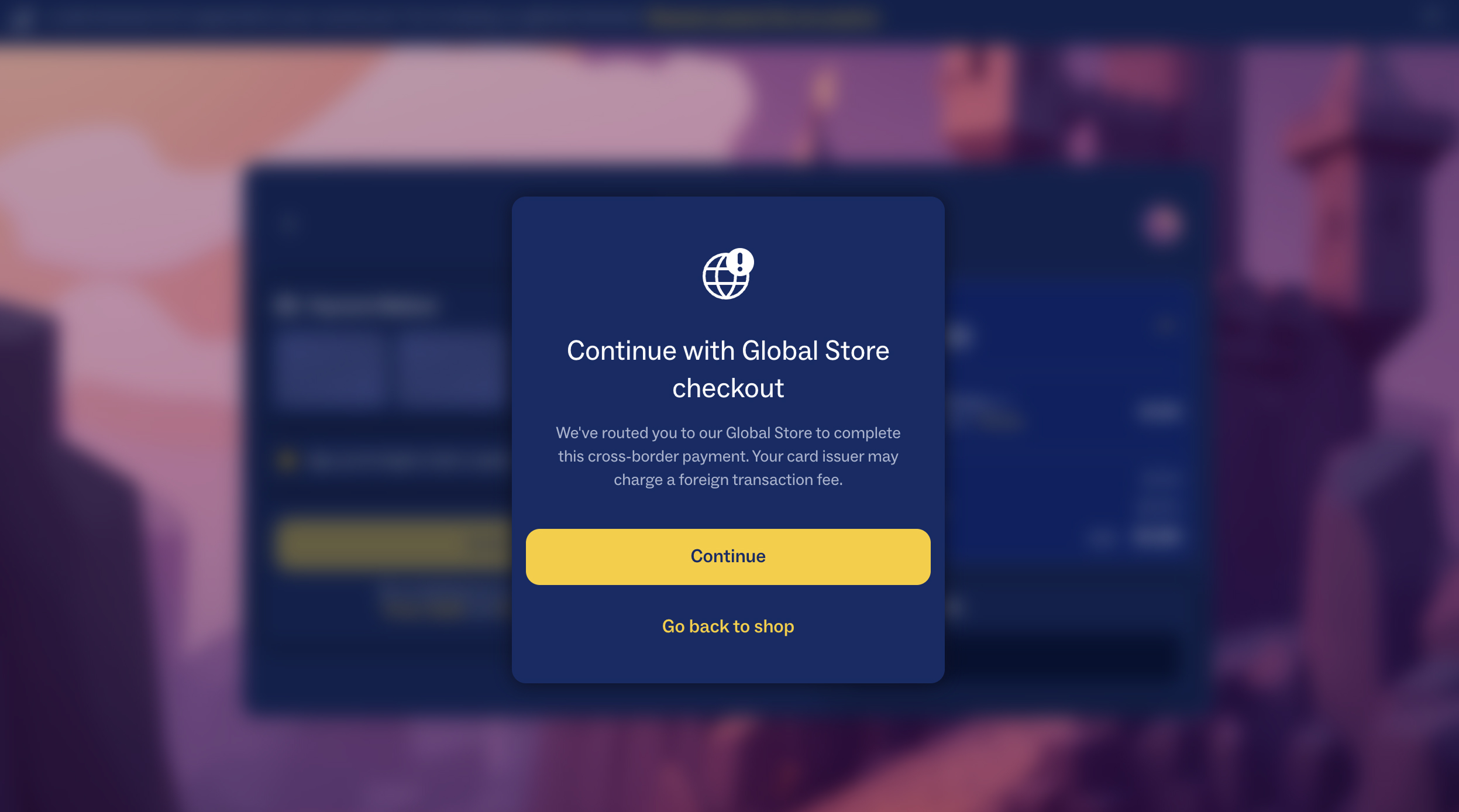
- The player can continue to checkout.
- Also, player can request support for their country and local payment methods.
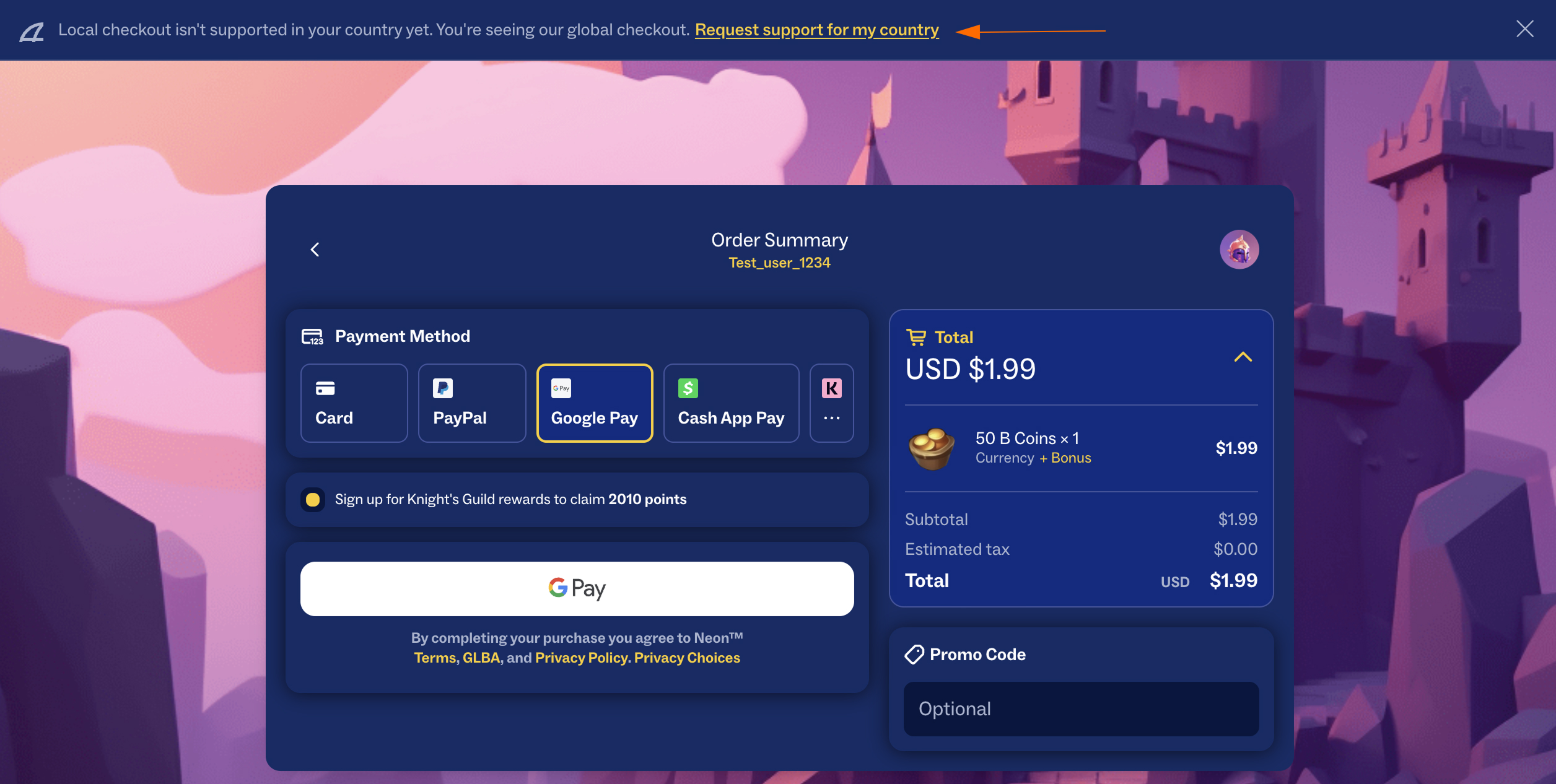
If Neon later adds support for that country, players will automatically receive the localized checkout experience.
Player Experience
When Global Store is shown, players are informed that:
- purchases are processed in USD;
- an internationally accepted payment method is required;
- they can submit a request for Neon to support their country and local payment methods in the future.
Country Restrictions
By default, Global Store allows players from unsupported countries to complete purchases using an internationally accepted payment method.
If you want additional control, Neon can also restrict purchases based on the issuing country of the player’s payment method. This allows you to require that the payment method was issued in the same country as the checkout or apply other country-based restrictions.
For more information, see Country Mismatches.
Updated 17 days ago